Studr vs Mindgrasp (2026): Which AI Study Tool Wins?

Verdict: pick Studr if you want to test a tool on your own lectures and PDFs with no card and get flashcards, quizzes and scheduled review back. Pick Mindgrasp if you want a chat-style AI tutor, math help or the cheapest annual price.
Disclosure: we make Studr. Where Mindgrasp is better — its AI tutor, math help, and file-format breadth — we say so below.
Both tools promise the same headline: upload your material, get study material back. The differences are in the details — how you try it, what you get out, and whether the output is built for passive reading or active recall. This guide breaks down where each one earns its place in 2026.
On this page:
- Studr vs Mindgrasp at a glance
- Where each one wins
- The workflow difference
- Pricing and the free-to-try gap
- Which should you pick?
- FAQ
Studr vs Mindgrasp at a glance
| Feature | Studr | Mindgrasp |
|---|---|---|
| Summaries from uploads | ✅ Structured | ✅ Notes + summaries |
| Flashcards | ✅ Auto-generated | ✅ Auto-generated |
| Quizzes / practice tests | ✅ Built-in | ✅ Built-in |
| Spaced repetition | ✅ Scheduled automatically | Limited |
| Handles PDFs | ✅ Yes | ✅ Yes |
| Handles recorded audio | ✅ Yes | ✅ Yes |
| Handles YouTube URLs | ✅ Yes | ✅ Yes |
| AI chat tutor over your docs | Focused on study output | ✅ 24/7 AI tutor |
| Math help | Basic | ✅ AI Math Expert (higher tier) |
| Free to try | ✅ One full upload free, no card, no clock | ❌ No free plan; 4-day trial (I saw it listed with a card required; sources differ) |
| Entry paid price | $14.99/mo or $89.99/yr (about $7.50/mo) | ~$5.99/mo billed annually |
| Best for | Turning your sources into drillable study material | Broad document Q&A and tutoring |
| Biggest limitation | Costs more; chat Q&A is not the focus | Lighter review scheduling; no permanent free plan |
Both cover the core study loop — summary, flashcards, quiz — from PDFs, audio and video. The two places they diverge most are how you get started (Studr gives you one full upload free with no card; Mindgrasp has no free plan, only a 4-day trial) and what the product is really optimised for (Studr for structured, spaced study output; Mindgrasp for chat-style tutoring across your files).
Where each one wins
Studr wins on trying before paying
Studr is the safer one to test: one full upload free, no card, no expiry, while Mindgrasp has no free plan. This is the biggest practical difference. Studr isn’t free ongoing — you get exactly one free upload — but that one upload runs the entire workflow (summary, flashcards, quiz, spaced-repetition schedule) on your actual coursework, with no ads, no card, and no expiry date. Mindgrasp has no free usage at all: you get a 4-day trial that, in the listings I found, converts to a paid plan automatically (sources disagree on whether a card is needed up front), and several reviews flag it as hard to cancel. One is a zero-risk test; the other is a countdown. If you just want to see whether AI study tools help you, that difference matters before anything else does.
Studr wins on spaced repetition
Studr schedules spaced review for you; Mindgrasp leaves more of that to you. Generating flashcards is the easy part; remembering the material until finals is the hard part. Studr schedules spaced review automatically, so cards resurface right before you’d forget them — the mechanism behind the testing effect. Mindgrasp generates flashcards and supports active recall, but its scheduling is lighter, so you’re doing more of the “what do I review today” work yourself.

Studr wins on focused, exam-ready output
Studr’s output is shaped like a study guide plus a drill deck, not a transcript. Studr is built around one loop: source in, then a structured summary plus a ready-to-drill deck and quiz out. That focus keeps the output tight and revision-friendly — closer to a study guide than a transcript. See how to summarize a lecture with AI for the summary step, and AI note-taking apps with flashcards for active recall for why that active-recall output matters.
Mindgrasp wins on the AI tutor and Q&A
If you want to chat with your documents, Mindgrasp is the stronger tool. Its standout is its 24/7 AI tutor: you can chat with your uploaded documents, ask follow-up questions, and get explanations across a wide range of file types. If your main need is “explain this dense chapter to me” or open-ended Q&A over your sources, that conversational layer is genuinely useful — and closer in spirit to a source-grounded research tool than to a flashcard app.
Mindgrasp wins on breadth and math
Mindgrasp wins on file breadth and math help. It casts a wide net — documents, slides, YouTube, audio, web links — and its higher tier adds an AI Math Expert for working through problems. If you’re juggling many formats or need step-by-step math help alongside note-taking, that breadth counts.
Where they tie
Both apps auto-generate summaries, flashcards and quizzes from PDFs, audio and YouTube, and both run in the browser with a mobile option. Both also depend on the quality of your source: a muddy recording or an image-heavy PDF will produce weaker output in either tool. If your material leans heavily on diagrams and graphs, test both on a real sample first — AI summarisers still handle visual content unevenly.
The workflow difference
Say you’ve just finished a 60-minute lecture and have the recording plus the slide PDF.
Mindgrasp workflow:
- Start the 4-day trial or subscribe
- Upload the recording and the PDF → get notes, a summary, and flashcards
- Optionally chat with the AI tutor to clarify tricky points
- Manage your own review schedule from there
Studr workflow:
- Use your free upload — no card — on the recording (or the PDF)
- Get a structured summary, a flashcard deck, and a quiz in ~2 minutes
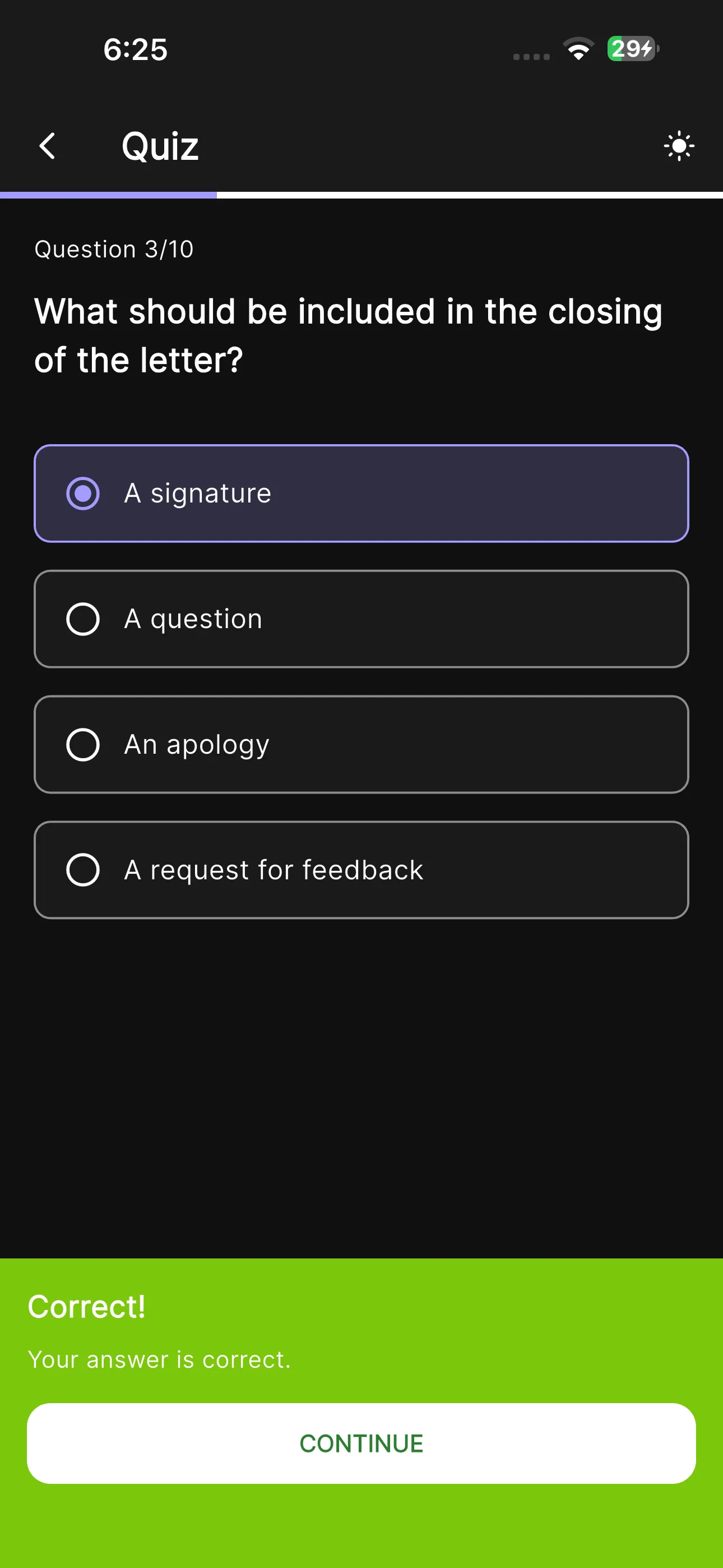
- Run the deck once, take the quiz
- Studr schedules the spaced review for you automatically
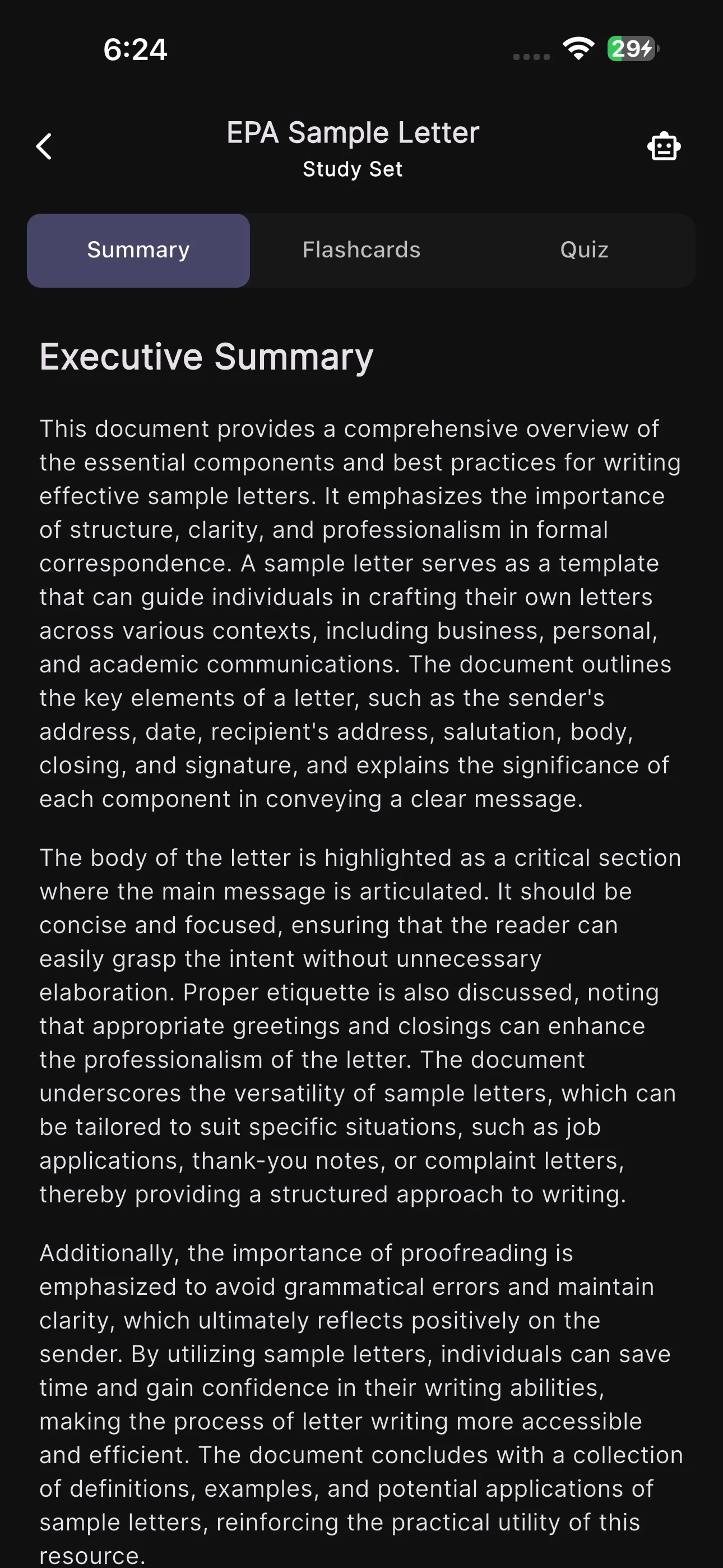
The two are close on the upload-to-output step. They separate on the edges: getting in (Studr’s no-card free upload vs Mindgrasp’s 4-day trial) and staying consistent afterwards (Studr’s automatic scheduling vs managing it yourself). For a semester-long grind, both edges favour Studr.
Pricing and the free-to-try gap
| Studr | Mindgrasp | |
|---|---|---|
| Free to try | One full upload, no card, no clock | 4-day trial, converts to paid (card requirement varies by source) |
| Entry paid tier | $14.99/mo ($7.50/mo billed yearly) | ~$5.99/mo billed annually (Basic) |
| Higher tier extras | Included study features | Live recording, iOS app, AI Math Expert (Scholar, ~$8.99/mo) |
| Ads | None | None |
| Watch-outs | — | Reports of billing / cancellation friction |
On sticker price, Mindgrasp wins: its annual Basic plan is genuinely cheap for unlimited uploads, and Studr Premium costs more at $14.99/month, or $89.99/year (about $7.50/month). The catch is upstream: Mindgrasp offers only a short trial that converts to a paid plan, and some users report unexpected charges after cancelling. Studr’s free upload lets you validate the tool on your own material first, with zero payment risk — which is the cheaper decision if it turns out AI study tools aren’t for you. For more no-card options, see the best free AI note-taking apps for students.
Which should you pick?
Pick Studr for class lectures and PDFs, spaced review and a free first run. Pick Mindgrasp for a document tutor, math help or a low annual price.
| Your situation | Best pick |
|---|---|
| You want to try it free before paying | Studr |
| You want automatic spaced repetition | Studr |
| You want tight, exam-ready study output | Studr |
| You mainly want a chat tutor over your docs | Mindgrasp |
| You need step-by-step math help | Mindgrasp |
| You’re studying specific class lectures + PDFs | Studr |
Try Studr free — your first upload is free, no card required.
FAQ
Is Studr a good Mindgrasp alternative?
Yes — if your goal is turning your own lectures, PDFs and videos into structured summaries, flashcards and quizzes with automatic spaced repetition, Studr covers the same core loop and lets you run it once for free, with no card. If you specifically want Mindgrasp’s chat-style AI tutor or its math help, that’s where Mindgrasp keeps an edge.
Does Mindgrasp have a free tier?
No permanent one. Mindgrasp lists a 4-day free trial; when I checked, sources disagreed on whether a card is required, so confirm on its pricing page before you sign up. Studr isn’t free ongoing either — but its one free upload needs no card and never expires, so it’s the easier tool to test risk-free. See the best AI note-taking app for students for other free-to-start options.
Which is better for spaced repetition?
Studr. It schedules spaced review automatically, so each card resurfaces right before you’d forget it — the timing is the entire point of spaced repetition. Mindgrasp generates flashcards and supports active recall, but you manage more of the review timing yourself, which in practice means most people don’t.
Is Studr better than Mindgrasp for exams?
For most exam prep, yes: it turns lectures and PDFs into flashcards and quizzes and schedules the review automatically. Mindgrasp is the better pick if you want to chat with your documents or need math help.
Can both turn a recorded lecture into flashcards?
Yes. Both accept audio and produce flashcards from it. Studr also runs the same workflow on PDFs and YouTube links and folds the results into one spaced-repetition schedule. If you’re new to this, see how to summarize lectures with AI.
Should I use one tool or both?
Most students are best served by one focused tool for their day-to-day study loop. If you also want conversational Q&A across many documents, some students pair a study generator like Studr with a source-grounded Q&A tool — a similar split to the one described in NotebookLM alternatives for students.
The bottom line
Mindgrasp is a capable, broad AI study platform, and its 24/7 tutor and math help are real strengths if that’s what you’re after. But for the core job most students actually have — turn this week’s lectures and readings into something I can drill, and keep me reviewing it until the exam — Studr does it more directly, schedules the repetition for you, and lets you prove it works on your own material before you pay. If that’s the job you’re hiring a tool for, try Studr free.
Related reading: Studr vs Quizlet and the best AI note-taking app for students.