 Studr – AI Notetaker Studr – AI Notetaker
Studr is an AI flashcard generator with spaced repetition built in. Add a lecture recording, PDF, or YouTube link — get a ready-to-review deck in seconds.


Free to start · no credit card · 2,200+ students · 22,300+ flashcards generated
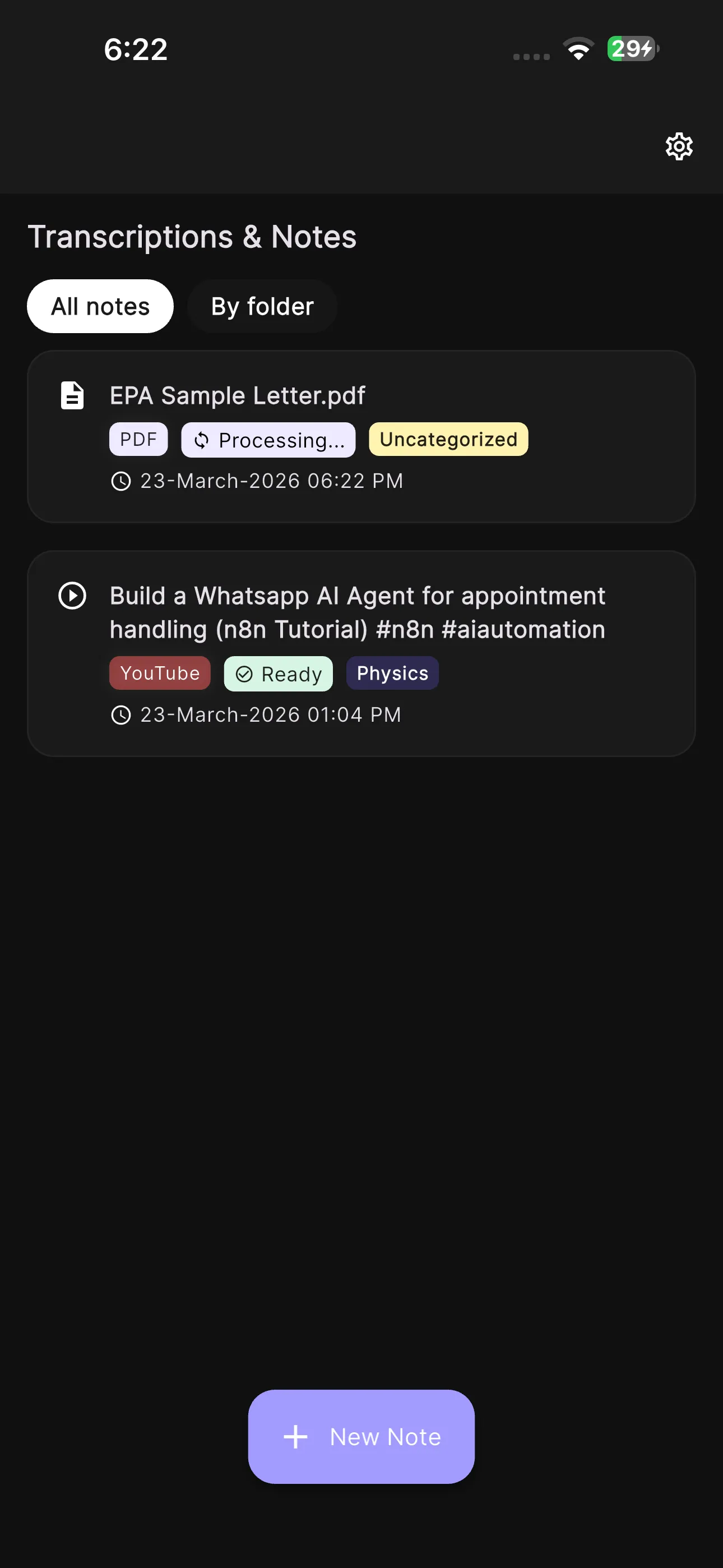
Record the lecture live, upload a PDF, or paste a YouTube link. Studr reads or transcribes the whole thing.
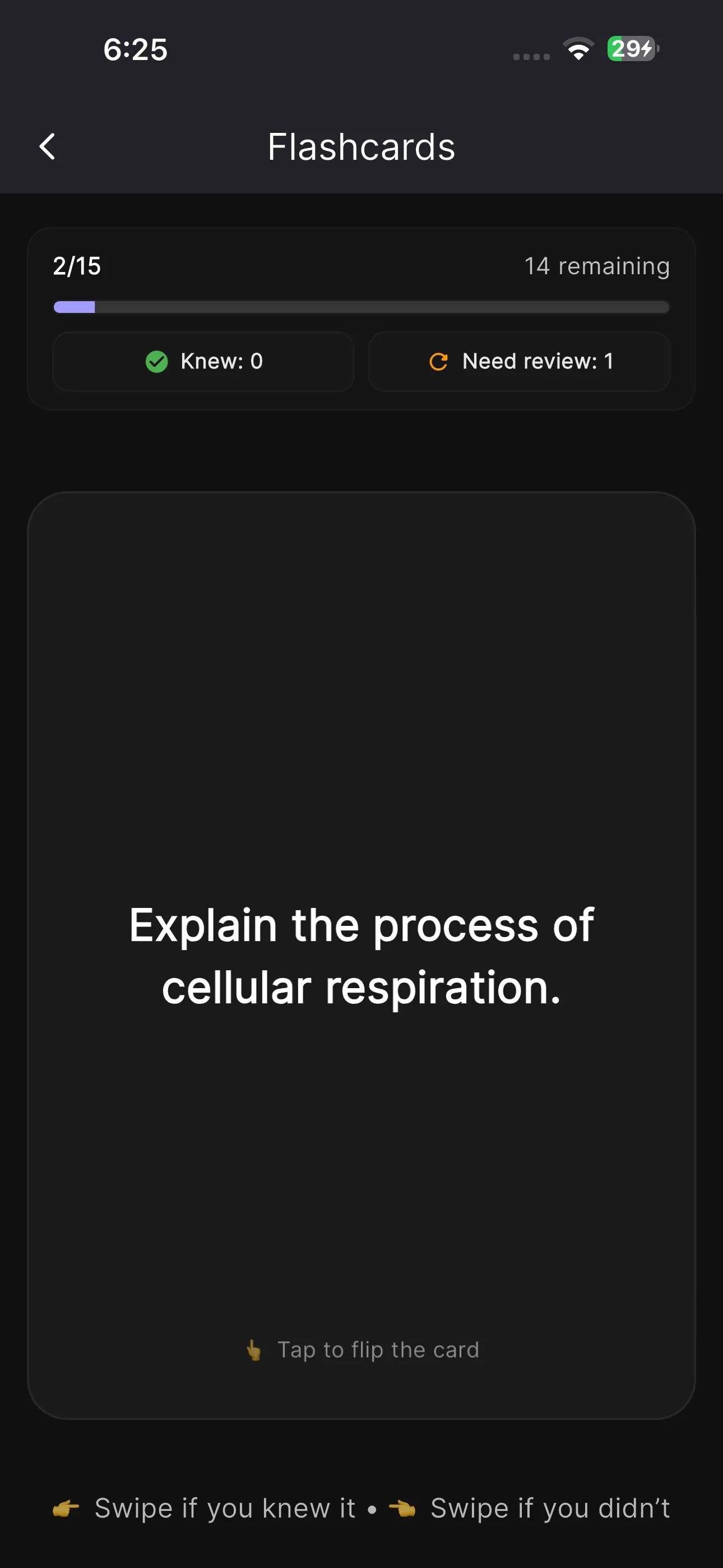
AI turns the material into question-and-answer cards — typically 15–30 per lecture or chapter. Swipe right if you knew it, left if you didn’t.
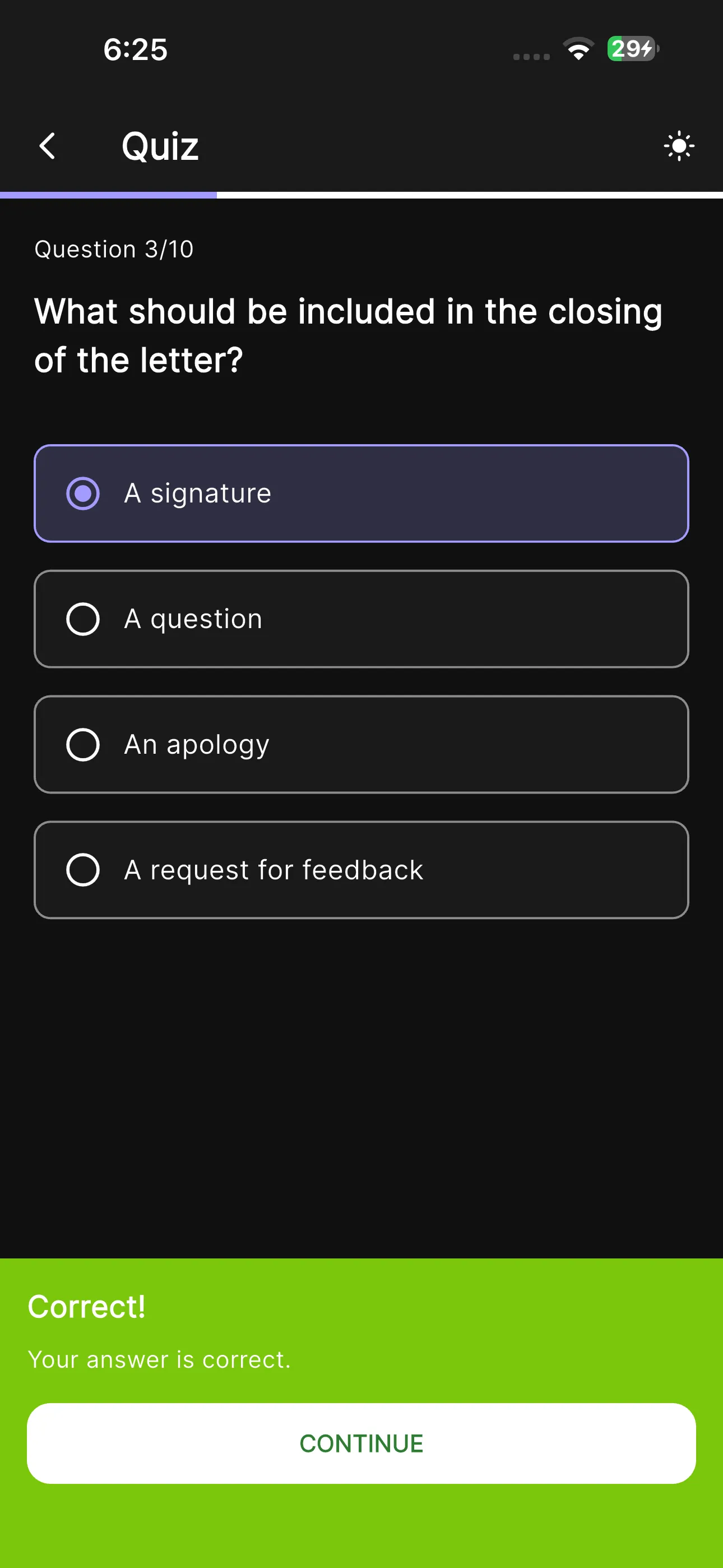
Spaced repetition brings each card back right before you’d forget it, plus an auto-generated quiz to test yourself before the exam does.
Re-reading notes feels productive but barely works. The two techniques cognitive scientists rate highest are practice testing and spaced repetition — exactly what a flashcard deck on a review schedule gives you. Studr just removes the hour it takes to make the deck. The science, the workflows, and how Studr compares to NotebookLM, Quizlet, and Anki are covered in our full guide to AI note-taking with flashcards.
Yes. Your first upload is free — a lecture, PDF, or YouTube video — with no credit card required, and it includes the full flashcard workflow. After that, Premium is $14.99/month, or $89.99/year (about $7.50/month).
Yes. Upload a PDF textbook chapter, lecture slides, or notes and Studr reads the full document and generates question-and-answer flashcards from it, along with a summary and a quiz. PDFs up to several hundred pages work.
Yes. Record the lecture in Studr (or upload audio) and it transcribes every word, then builds flashcards from the material — usually before you leave the room. YouTube lecture links work the same way.
Yes — scheduling is built in, not bolted on. Each flashcard is scheduled for review at expanding intervals, so the cards you almost forgot come back exactly when you need them. You review a small stack daily instead of cramming.
Quizlet and Anki are excellent at storing and reviewing cards, but you (or the community) still have to make them. Studr generates the cards from your own lecture, PDF, or video, then handles review scheduling too. See our Studr vs Quizlet and Studr vs Anki comparisons.
Yes. Every upload also generates a multiple-choice quiz with instant feedback, so you can switch between flashcard review and quiz mode — both are forms of active recall, the most effective study technique in the cognitive-science literature.
Comparing tools? Read Studr vs Quizlet, Studr vs Anki, or how to make flashcards from a PDF textbook.
Free to start. No credit card. Your first deck is one upload away.